
To automatically mark a guardian as Accredited in I-GTM, the Guardian relationship in iSAMS needs to be uniquely labelled, e.g. “Guardian Accredited” as opposed to just “Guardian”. This unique label is then entered in to the I-GTM configuration.
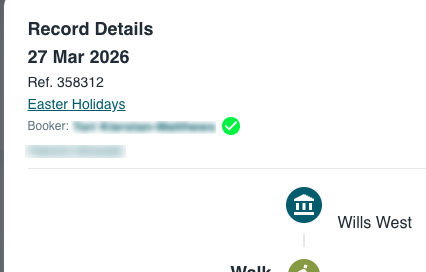
This marks every accredited guardian with a green tick, as shown in the screenshot below.
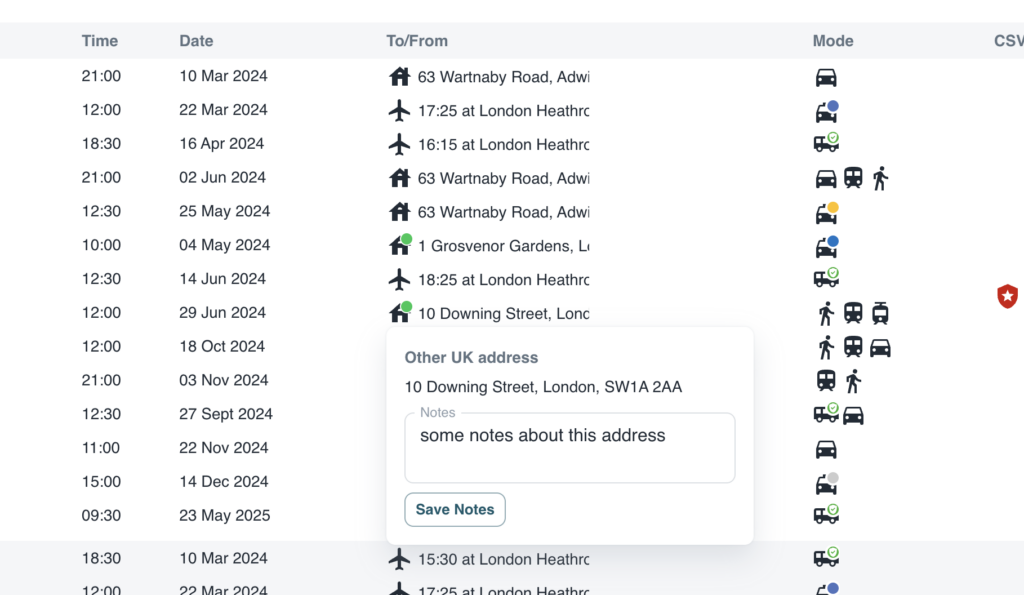
When an accredited guardian books a home stay using “Other UK Address”, this address becomes accredited by default and is marked with a green dot in the main staff dashboard.
If a guardian is not accredited but is trusted by the school, they can be marked as such by changing the switch in the pupil contact screen.
If a host family is known the the school but has not been booked by an accredited guardian, it can be marked as approved by the school. This adds an orange dot to the destination icon.
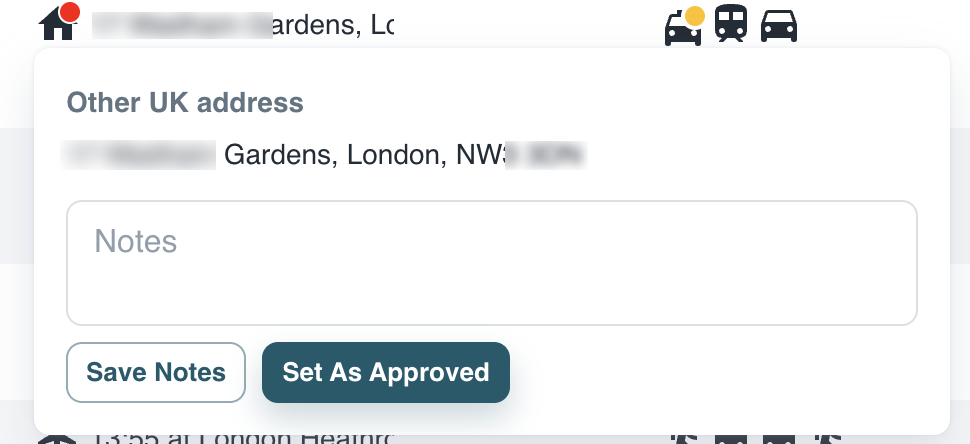
In all cases where the origin or destination is Other UK Address, notes can now be added by staff.
Enabling Accredited Guardians
To enable this functionality, the Accredited Guardian box must be ticked in Config, System, School Settings, and the unique iSAMS accredited guardian field entered.